← Projects
Weather
A phone-sized forecast app on the free Open-Meteo API, with saved locations and no API key.
- Year
- 2026
- Stack
- JavaScript, HTML and CSS, Open-Meteo API
- Built
- With AI coding assistance
What it does
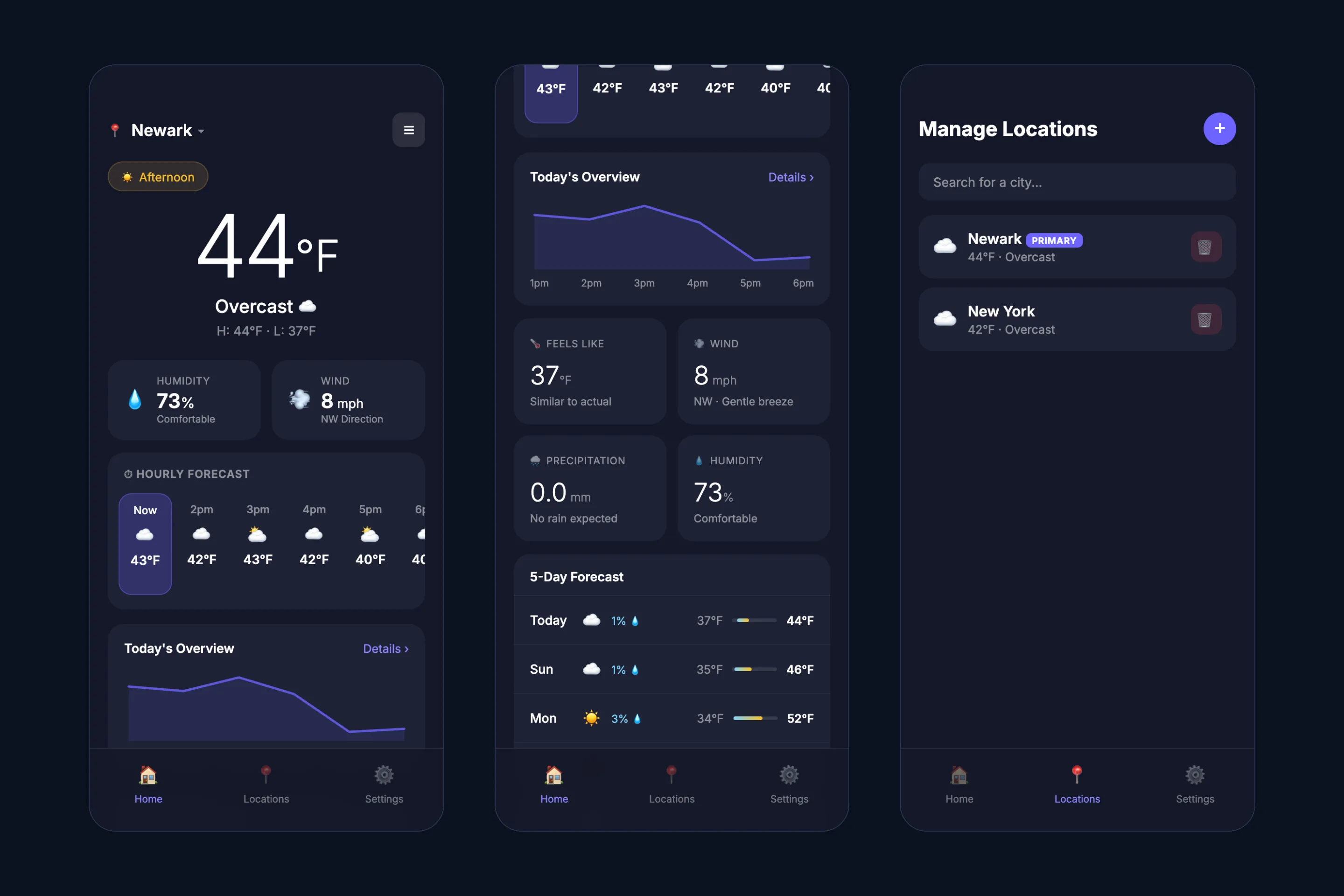
A weather app laid out for a phone. It is the smallest project here and the one I would rebuild first.
- Home. Current temperature and conditions, an hourly forecast for the next 24 hours, a daily forecast, and tiles for feels-like temperature, wind, precipitation and humidity.
- Locations. Search for a city, or use the device’s location, and keep a list of saved places with their current temperatures.
- Settings. Fahrenheit or Celsius, and a 12- or 24-hour clock.
How it is built
- Open-Meteo for both forecast and city search. Neither endpoint needs an API key, so the app has no secret to protect and no backend.
- The chart is hand-written SVG. The temperature line is two polylines built from the forecast data. For one small chart that is less code to load than a charting library.
- One HTML file. No framework and no build step.
Security and data handling
- Saved locations and the profile are kept in the browser’s storage and never sent to a server.
- The sign-in screen creates a profile on that one browser. It is a label for saved locations and gives no real authentication: anyone with access to the browser can read the stored data.
- The first version stored the profile password as plain text. It now stores a random salt and a PBKDF2-SHA-256 hash instead, and converts old entries the next time they sign in.
- Place names returned by the search, and the name and email typed at sign-up, are escaped before they are shown.
Known limitations
- The app cannot be used without creating the local profile first, which a weather app should not require.
- The layout is a fixed phone-width column. On a desktop it sits in the middle of the screen.
- Units and clock settings are not saved between visits.
- Several controls are placeholders: the theme and notification settings, “Forgot password?” and “Details”.
- The card labelled “5-Day Forecast” shows seven days.
- A failed forecast request shows an error with no retry.
- “Use current location” sends the device’s coordinates to the search API.
What I would change
- Remove the profile requirement and open straight to the forecast.
- Make the layout adapt to wider screens.
- Finish or remove the placeholder controls.